
Course Content
-
0 / 4
💪 Getting Started 💪
-
0 / 3
🎯Strategy 🎯
-
0 / 8
📖Content 📖
-
0 / 7
👁️ Audit 👁️
-
0 / 1
⌛Finishing Up ⌛
-
0 / 12
Live Q&A + Coaching Recordings
-
Q&A #1 | November 15, 2021
-
Q&A #2 | November 22, 2021
-
Q&A #3 | November 29, 2021
-
Q&A #4 | December 6, 2021
-
Q&A #5 | December 13, 2021
-
Q&A #6 | December 20, 2021
-
Q & A | August 10, 2020
-
Q & A | August 17, 2020
-
Q & A | August 24, 2020
-
Q & A | August 31, 2020
-
Q & A | September 7, 2020
-
Q & A | September 14, 2020
-
-
0 / 4
Additional How-Tos







Optimize Your Feed
Now that you have spent the time thinking about your ideal decision-maker, selected a few hashtags, groups, and people you want to follow, it is time to ensure your feed is showing you the opportunities and people you want to see.
Your feed should be feeding you with opportunities, ideas, inspiration, and potential clients, so make sure you remove people, companies, or hashtags they do not resonate with.
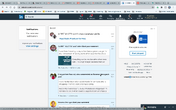
Customize your feed based on the Ideal Decision Maker sheet.
You can take a look at what your feed now looks like >> https://www.linkedin.com/feed/.
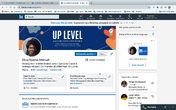
On the left side you will see your pages if you have any, groups you are a part of, and hashtags you are following.
LinkedIn will provide you suggestions based on your past engagement >> https://www.linkedin.com/mynetwork/discover-hub/.
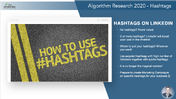
You can check out the Hashtags you currently follow here >> https://www.linkedin.com/feed/following/?filterType=channel&focused=true.
If you have any questions about customizing your feed, please make sure you bring them up in our next Q & A.
➡️ Click here to download your Optimize Your Feed Worksheet
0 comments
Leave a comment